- 26 Mar 2026
- Gideon Thornton
- 0
Laptop Repair vs. Replacement Calculator
Not sure if that quote is fair? Use this tool to see if the repair makes financial sense compared to upgrading.
The Sticker Shock You Didn't Expect
You drop your laptop, the screen cracks, and you go online for a quote. Suddenly, you're staring at a price tag of £400 or even more. That number feels outrageous, right? Especially when you bought the machine for £800 in the first place. Why does a broken piece of glass or a stuck key demand so much money? It isn't just greed; there are complex mechanics behind the pricing that most consumers don't see until they hold the bill.
We live in an era where electronics look sleek and thin. But those sleek lines come with a heavy price tag if they break. Modern laptops are engineered differently than the machines from five years ago. They aren't built like the durable bricks we remember. Instead, they are fragile ecosystems where every component depends on the others. This fragility is the primary reason laptop repair costs have skyrocketed in recent years. Let's peel back the layers to see exactly where your money goes.
It Is Not Just About Screws Anymore
Back in the day, fixing a computer meant opening a case, pulling out a RAM stick, and swapping a hard drive. Now, manufacturers prioritize slimness over serviceability. Think about the average ultrabook you see today. There are fewer screws holding it together, and many parts are sealed shut. To access the battery or memory, a technician often has to strip the entire frame apart. This increases the labor time significantly. What was once a fifteen-minute job is now a sixty-minute teardown.
| Task | Old Style Laptop (Pre-2018) | Modern Ultrabook (2024-2026) |
|---|---|---|
| Battery Swap | 15 minutes | 90 minutes |
| Keyboard Fix | 30 minutes | 4-6 hours |
| Screen Upgrade | 45 minutes | 2-3 hours |
This complexity forces shops to charge higher hourly rates. If it takes three times as long to complete a simple swap, the labor cost triples even if the parts remain the same price. Manufacturers often use Glue Adhesives instead of clips to hold batteries in place. This means prying tools are needed, and there is always a risk of damaging the casing or the internal ribbon cables during removal. Technicians charge a premium to cover the risk of causing collateral damage during these delicate procedures.
The Parts Availability Problem
When you call a local shop for a screen replacement, they might tell you they need to order the part. That delay costs you money. Original Equipment Manufacturer, or OEM Parts, are the biggest driver of cost inflation. These are genuine components made by the brand itself, like Apple, Dell, or HP. While third-party alternatives exist for basic things like keyboards, critical components like touchscreens or bezels often cannot be sourced legally outside official channels.
Vendors sell these parts in small batches. Buying ten screens for a bulk discount isn't how independent repair shops operate. They buy one unit at a time from distributors who markup the price. On top of that, supply chains are unpredictable. A shortage of microchips or logistics delays in 2025 and early 2026 mean inventory sits empty while demand stays high. Economics dictates that scarce parts cost more. When you pay for a screen, you aren't just paying for the LCD panel; you are paying for the shipping, the storage, and the guarantee that it matches your specific model number exactly.
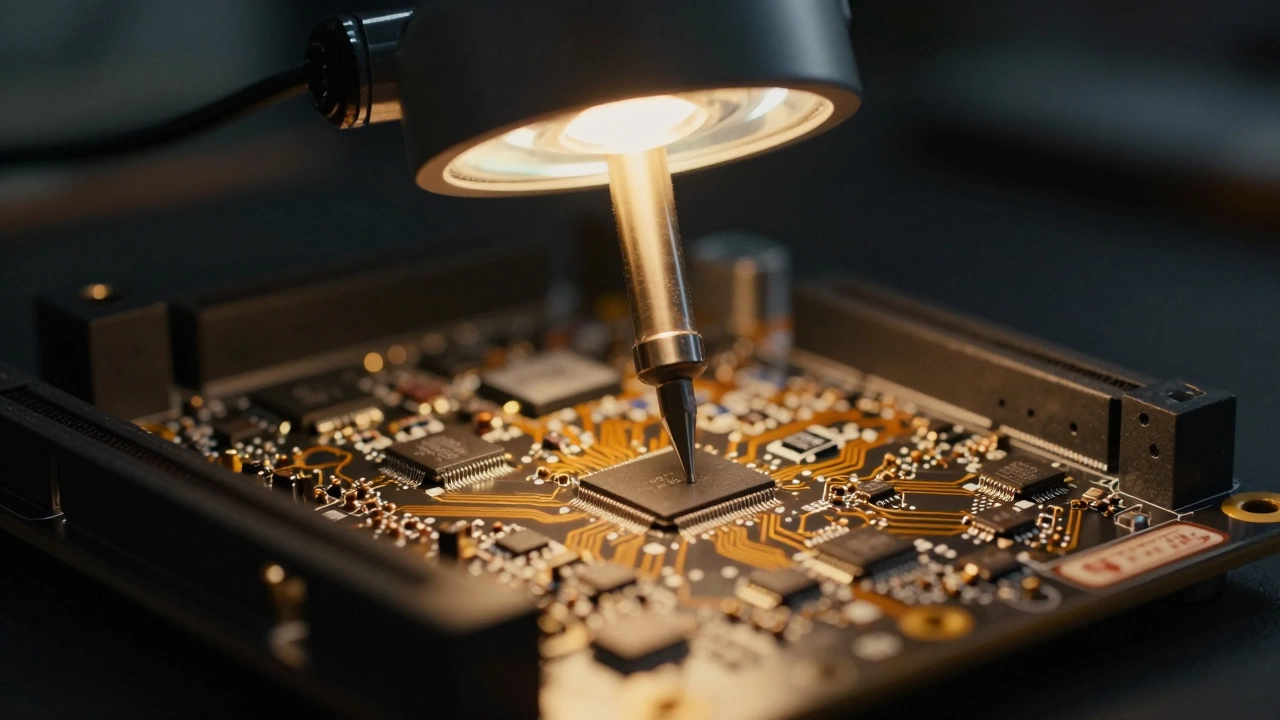
Consider the motherboard scenario. In older models, if your computer wouldn't turn on, it might have been a blown capacitor. Today, integrated circuits soldered directly to the board often fail. Soldering work requires specialized equipment called hot air rework stations and high-end microscopes. Fewer technicians possess this level of skill, meaning less competition and higher prices for the few professionals who can perform board-level repairs. Most general techs simply quote you a full board replacement because they lack the skills to fix the individual chip.
Diagnostics Are More Than Guesswork
A common complaint is that shops charge a Diagnostic Fee even if you don't proceed with the repair. Some customers view this as an unnecessary barrier. However, modern computers hide their status deep within firmware. Unlike a car engine where smoke coming from the hood indicates a leak, a laptop might sit perfectly still with a silent failure. Identifying whether a charging port issue is bad soldering on the motherboard or a faulty power brick requires running specific voltage tests and sometimes replacing multiple components temporarily to isolate the fault.
Imagine spending two hours testing ports only to discover the customer unplugged the charger wrong at home. The technician didn't waste time; they invested their expertise to confirm what was wrong. Skilled labor costs money. If a shop offers free diagnostics, they are likely recouping that cost through inflated part prices later. Transparency is better. Paying £40 upfront to know exactly what is broken saves you from authorizing a £200 repair that turns out to be unnecessary. It separates legitimate problems from cosmetic ones.
Software Pairing Adds Hidden Costs
Hardware is only half the battle. Many laptops now pair hardware components directly to the system software. This feature is designed to prevent theft or unauthorized modifications, but it cripples the repair market. For example, certain battery modules contain chips that communicate with the logic board. If you install a non-OEM battery, the system may refuse to boot or claim the battery capacity is zero percent.
Similarly, Face ID cameras and trackpads in newer devices are serialized to the main processor. Swapping these parts requires a software reset that only official service centers can perform. This restricts the available parts pool to official channels where prices are fixed and high. It effectively creates a monopoly on functional replacements. As we move into 2026, more manufacturers are adopting digital signatures in their components. Without a way to reset these security flags, independent shops cannot provide cheaper alternatives, forcing users to pay manufacturer prices.

The Cost of Quality Control
When you visit a reputable Independent Repair Shop, you are also paying for insurance. Cheap repairs often come with a lack of protection. Professional shops test every function after a repair. They check water resistance seals, dust filters, and thermal paste application. If a cheap shop messes up your waterproof seal, rain next week could destroy your data.
Overheating issues are another subtle risk. A technician who reassembles a laptop poorly might block the airflow vents. Over six months, the fan works harder, fails, and eventually fries the CPU. Good shops document everything and offer warranties on their workmanship. That warranty includes liability if something breaks later. Those costs are baked into the initial quote. You are paying for peace of mind that the device will function correctly for years to come, not just for the hour of work done.
Is It Worth Fixing?
So you get the quote. It's £450 for a screen. Your laptop is three years old. Should you spend it? The decision usually comes down to age and residual value. If your laptop is under five years old, repair often makes financial sense. Technology depreciates, yes, but a refurbished machine usually retains decent value. Throwing away a working motherboard to save £100 on a new, budget machine with similar specs is often wasteful. Electronics recycling is poor globally, and manufacturing a new device generates a massive carbon footprint compared to repairing an existing one.
However, if the motherboard has failed, the math changes. A new logic board can cost 60% of the price of a new laptop. In that specific case, buying a new device is smarter. The threshold is generally set around 40%. If the repair exceeds 40% of the cost of a comparable replacement, the economic argument leans heavily toward buying new. Exceptions exist for sentimental value or specific enterprise needs where switching operating environments is difficult.
Tips to Save Money on Repairs
If you want to keep your costs down, prevention is key. Investing in a sleeve or case for travel protects against drops that cause screen damage. Accidental Damage Protection plans offered by third-party insurers, rather than manufacturers, often include accidental liquid spills which standard warranties ignore. Regular cleaning of vents prevents overheating failures that lead to board replacements. Finally, if you do need help, ask for the specific part costs versus labor. Knowing these numbers helps you compare quotes between different local providers fairly.
Is it cheaper to fix a laptop screen yourself?
DIY can be cheaper (£100-£150 vs £300+ pro), but modern screens are fragile. One crack during installation ruins the new screen. Also, some laptops require software calibration post-install. Unless you have experience with delicate electronic components, professional installation reduces the risk of costly errors.
Do manufacturers void the warranty if I repair it myself?
Yes. Opening the chassis on most modern laptops immediately voids the Manufacturer Warranty. Third-party repairs also void official coverage. However, laws like the UK Consumer Rights Act still protect you against defective goods regardless of repair history, but manufacturer-specific perks like free support may be lost.
What is the typical lifespan of a repaired laptop?
A quality repair should restore functionality to pre-damage levels. With a screen fix, you can expect another 3-5 years of use. Power or battery repairs also extend life similarly. However, other components will eventually wear out naturally based on total runtime.
Why do some repairs cost more than buying a new laptop?
This happens with motherboard failures. Since chips are soldered onto the board, you often have to replace the whole unit. If the cost is over 40% of a new laptop, it is economically inefficient to repair. Manufacturers price replacement boards to make upgrading more attractive than fixing.
Can I use a non-genuine part for my laptop repair?
For basic parts like keyboards, yes. For screens, touchpads, and batteries, non-genuine parts may trigger warnings or fail to calibrate properly due to serial number checks. High-quality third-party brands exist, but they rarely work seamlessly with proprietary software features like fingerprint scanners or facial recognition.