- 5 Nov 2026
- Gideon Thornton
- 0
Fan Troubleshooter & Repair Guide
Is your extractor fan silent or making strange noises? Select the symptom below to find the likely cause and difficulty level of the repair.
No Power / Silent
Fan does not move, no sound at all.Humming but Not Spinning
Motor buzzes but blades stay still.Slow Spin or Rattling
Grinding noise or sluggish movement.Stops After Running Briefly
Works for a few minutes then quits.If there is absolutely no sound, electricity isn't reaching the motor or the switch is broken.
- Check: Fuse box/consumer unit for tripped breakers.
- Check: Pull-cord switch for wear (wiggle test).
- Check: Wall switch with a multimeter if possible.
The motor has power but lacks the initial torque boost to start spinning. Think of it like a car starter motor failing.
- Disconnect power and discharge the capacitor safely.
- Locate the small black cylinder attached to the motor.
- Test capacitance with a multimeter (compare to printed value, e.g., 2µF).
- Replace if reading is zero or significantly low.
Friction from dried lubricant or physical obstruction is slowing down the motor.
Step 1: Clean
Remove grille. Vacuum loose debris. Wipe blades with warm soapy water. Check ducting for kinks/bird nests.
Step 2: Lubricate
Apply 1 drop of sewing machine oil to the shaft bearing. Avoid WD-40 as it evaporates quickly.
The motor is working too hard due to restricted airflow, triggering a thermal cut-off safety switch.
- Action: Inspect external vent for bird nests or heavy grease buildup.
- Action: Check flexible aluminum ducting for crushing or severe kinks.
- Action: Clean internal housing thoroughly.
You’re in the middle of cooking your Sunday roast, the kitchen is filling with steam and smells, and you reach for the switch. Nothing. The extractor fan that usually hums away quietly has gone completely silent. It’s annoying, sure, but before you call an engineer or rip the whole unit out of the wall, take a breath. Most fans that stop working suddenly aren’t dead; they’re just blocked, disconnected, or have a minor electrical fault. In fact, about 70% of these issues can be fixed by a homeowner in under an hour with basic tools.
This guide walks you through exactly how to diagnose and fix a fan that has stopped spinning. We’ll cover everything from checking the power supply to cleaning seized motors. Whether it’s a ceiling-mounted unit in your bathroom or a wall-mounted one over your stove, the logic remains the same. Let’s get your air moving again.
Check the Power Supply First
Before you start unscrewing anything, rule out the obvious. Fans don’t just die randomly without reason, and often the issue isn’t the fan itself. Start by checking if the unit is receiving electricity. If your fan is plugged into a socket (common for plug-in models), try plugging it into a different outlet to test if the original socket is faulty. For hardwired units, which are more common in UK homes, check your consumer unit (fuse box). Has a breaker tripped? Reset it. If it trips immediately upon resetting, you likely have a short circuit inside the fan motor or wiring.
If the power seems fine at the source, look at the switch. Is it a pull-cord switch? These wear out over time. Try wiggling the cord gently. If the fan flickers on and off, the internal contacts in the switch are worn. Replacing a pull-cord switch costs less than £10 and takes five minutes. If you have a light switch controlling the fan, ensure the switch itself isn’t faulty by testing it with another appliance if possible, or use a multimeter to check for continuity.
Inspect for Physical Blockages
Once you’ve confirmed power is reaching the unit, the next most common culprit is physical obstruction. Extractor fans work by pulling air through ducting. Over time, grease, dust, and lint build up on the blades and within the housing. This buildup creates friction, making the motor work harder until it eventually seizes or overheats and shuts down as a safety measure.
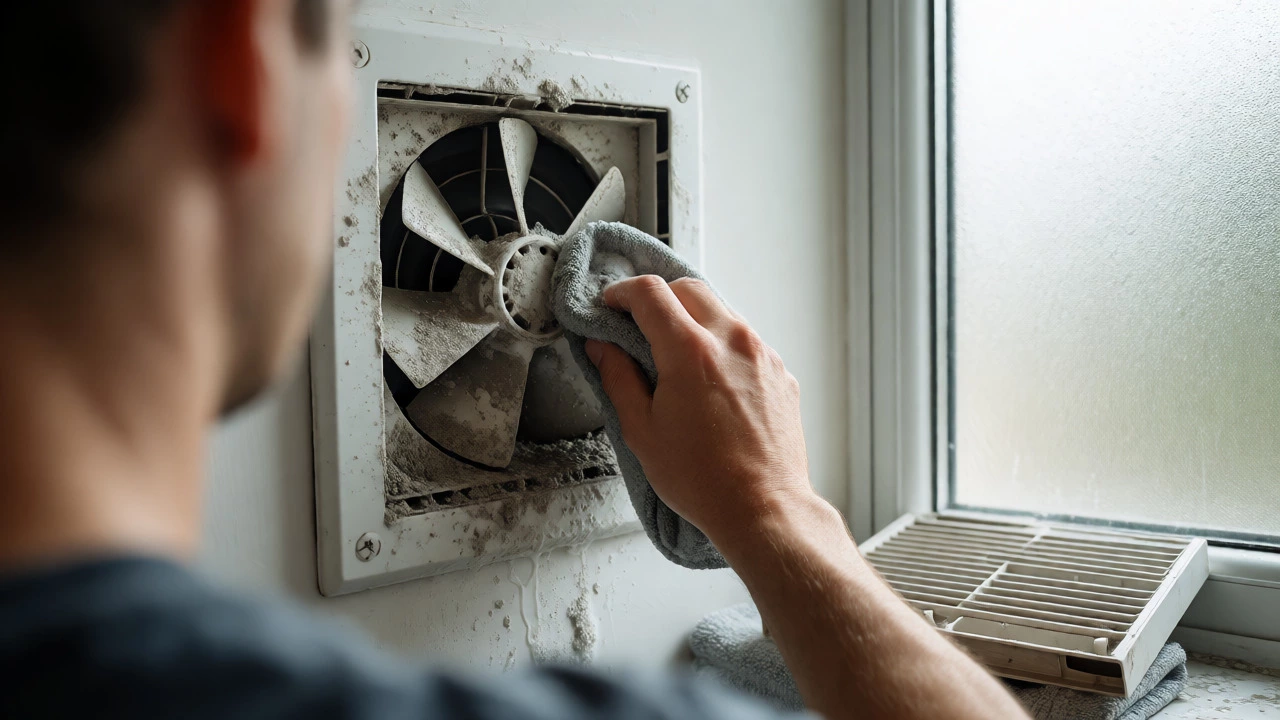
Turn off the power at the mains before touching any parts. Remove the fan cover or grille. You’ll likely see a layer of grime. Use a vacuum cleaner with a brush attachment to suck out loose debris. Then, wipe the blades with a cloth dampened with warm soapy water. Don’t forget the back of the blades-that’s where most of the gunk hides. If the blades feel stiff when you spin them by hand, this is your problem. Cleaning them might free up the motor enough to restart.
Check the ducting too. If the flexible aluminum duct behind the fan is crushed, kinked, or clogged with bird nests (common in external vents), the fan can’t push air out. This back-pressure can stall the motor. Detach the duct if accessible and blow through it or use a long brush to clear blockages.
Test the Motor Capacitor
If the fan is clean and powered but still won’t start, the issue is likely electrical. Many AC induction motors, which power most domestic extractor fans, rely on a small component called a capacitor to help them start spinning. Think of it like a starter motor in a car. When the capacitor fails, the motor might hum but not rotate, or it might not do anything at all.
| Symptom | Likely Cause | Fix Difficulty |
|---|---|---|
| Fan doesn't move, no sound | No power or burnt-out winding | Medium/Hard |
| Fan hums but doesn't spin | Failed start capacitor | Easy/Medium |
| Fan spins slowly or rattles | Bearing wear or debris | Easy |
| Fan stops after running briefly | Overheating due to blockage | Easy |
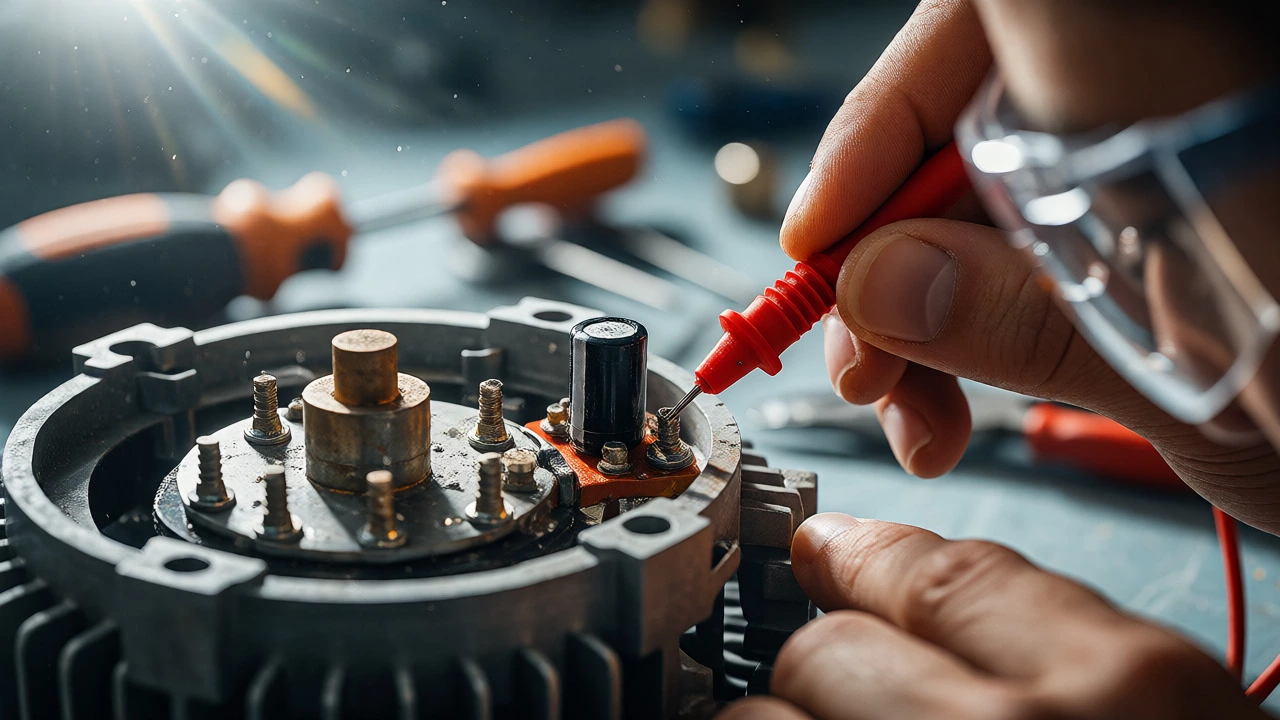
To test the capacitor, you need a multimeter. Disconnect the fan from power. Locate the capacitor-it’s usually a small black cylinder attached to the motor. Discharge it carefully by touching both terminals with an insulated screwdriver. Set your multimeter to capacitance mode and touch the probes to the terminals. Compare the reading to the value printed on the capacitor (e.g., 2µF). If the reading is significantly lower or zero, the capacitor is dead. Replacing it involves desoldering two wires or cutting and reconnecting them. Ensure the new capacitor has the same microfarad rating.
Examine Bearings and Lubrication
Older fans often suffer from dried-out bearings. The shaft that holds the blades rotates inside bushings or ball bearings. If lubricant dries up, metal-on-metal friction increases. You’ll hear a grinding noise before it stops, or it might just seize completely. Spin the blades by hand. Do they feel gritty or rough? Do they stop instantly when you let go, or do they coast for a second?
If they feel rough, try applying a drop of sewing machine oil or specific electric motor oil to the bearing point where the shaft enters the motor housing. Avoid WD-40 for long-term lubrication; it’s a penetrant, not a lubricant, and will evaporate quickly, leaving the motor worse off. Work the oil in by spinning the blade manually. If the movement becomes smooth, run the fan for a few minutes to distribute the oil. If the bearing is physically damaged (you hear clicking or crunching), lubrication won’t save it. You’ll need to replace the motor or the entire fan unit.
When to Replace vs. Repair
Not every fan is worth fixing. Consider the age and type of your unit. Cheap, plastic-housed fans found in budget bathrooms often cost more to repair (in terms of time and part availability) than to replace. If the motor windings are burnt (smell of ozone or burnt plastic), repair is rarely economical. However, high-quality inline fans or those integrated into expensive cooker hoods are often worth repairing.
Check the brand. Some manufacturers like Xpelair and Dimplex offer spare parts for older models, while others make sealed units where you must buy the whole motor assembly. If you live in a rental property, always consult your landlord before attempting repairs, as unauthorized modifications can void warranties or tenancy agreements.
Safety Precautions
Electricity is unforgiving. Always isolate the circuit at the fuse box before opening the fan. Use a voltage tester to confirm no current is flowing. Water and electricity mix poorly, so ensure the area is dry. If you smell burning insulation, stop immediately. That indicates a serious electrical fault that could lead to fire. If you’re unsure about handling live wires, hire a qualified electrician. It’s better to pay £50 for a professional visit than risk a house fire.
FAQ
Why does my extractor fan make a humming noise but not spin?
This is typically caused by a failed start capacitor. The motor receives power and tries to turn, creating a hum, but lacks the initial torque boost needed to overcome inertia. Another possibility is that the blades are physically jammed by debris. Check for obstructions first, then test the capacitor.
Can I use WD-40 to lubricate my fan motor?
No, WD-40 is primarily a solvent and rust remover, not a long-term lubricant. It evaporates quickly and can attract dust, leading to further gumming up. Use dedicated electric motor oil or sewing machine oil instead.
How long should an extractor fan last?
A well-maintained extractor fan typically lasts between 8 to 15 years. Factors like usage frequency, humidity levels, and regular cleaning significantly impact lifespan. Fans in heavy-use kitchens may fail sooner due to grease buildup.
Is it dangerous to run a noisy extractor fan?
Generally, no, unless there is a burning smell or sparks. Noise usually indicates mechanical wear, such as loose screws, unbalanced blades, or worn bearings. While not immediately hazardous, ignoring it can lead to total failure or increased energy consumption.
Do I need an electrician to replace a hardwired fan?
If you are confident in isolating the power and connecting like-for-like wires (Live, Neutral, Earth), you can do it yourself. However, if the wiring is old, damaged, or non-standard, hiring a Part P registered electrician is safer and ensures compliance with building regulations.